

USER MANUAL
Main Page:
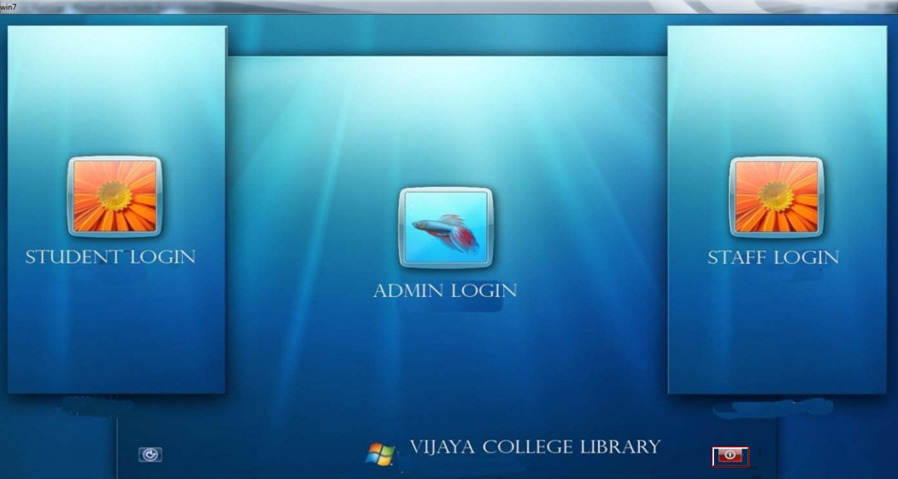
Here there are Three types of logins for the user : Administrator Login, Student Login , and Staff Login. Administrators have all the rights such as Enter book, member details OR issuing books or magazines.
Login System:
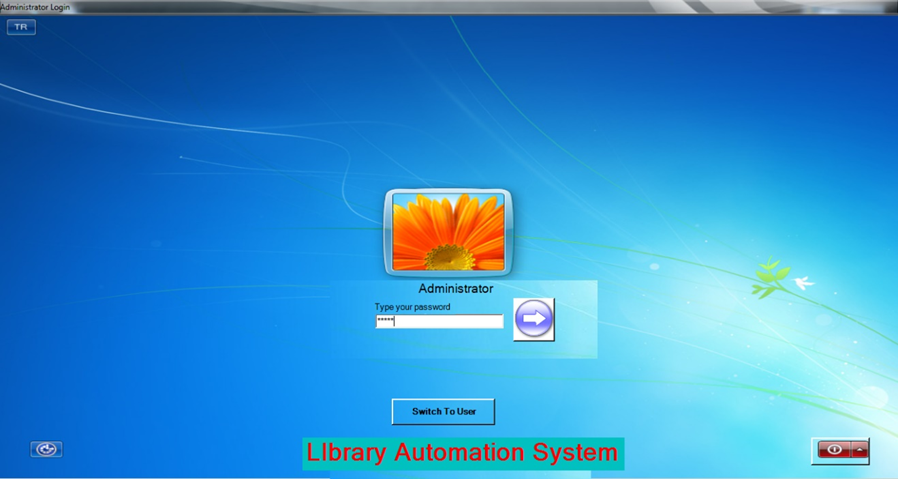
For All users (Admin , Student, Staff) the Login System Appears as same as shown above .User have to enter the password if it is correct then Software opens another new window.
For Administrator it opens Main menu form.
For other users it opens only SEARCH form.
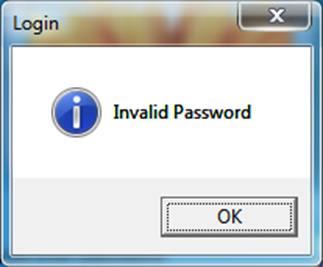
For wrong password entry a message shown below is displayed :
Main Menu ( Only for Administrator use):

In Main menu Administrator can perform these actions:
- COLLEGE Menu:- In this administrator can enter the details of college and This menu contains SETTINGS as well as Calendar and Calculator which is used to change the passwords of all users .
- MEMBER ENTRY Menu:- This Contains three sub menus , that are Student member entry , Staff member entry menu which is used to enter or delete or modify the Library Member Details.
- BOOK Menu:- This Menu Contains Five submenus , First one that is Book Detail Entry Menu used to enter the details of books , second one is Magazine Detail Entry Menu used to enter the Details of magazine. Third one is Change Detail where we can change or modify the details of Books or Magazines details. Fourth one is Administrator can remove the books and Magazine. Fifth one is Book and Magazine Detail here Administrator can view List of Books and List of Magazine.
- BOOK TRANSACTION Menu: – Here there are two submenus: Issuing Book and Returning Book . This is used to Issuing book to Library members and returned book entries.
- OPAC(Search): – This is used for searching of books ,by using different criteria.
- REPORTS:- Different types of reports are : Member Report , Fine Collected Report , Issued Books Report , Stock Verification Report .
College – Enter Details Of College Form:
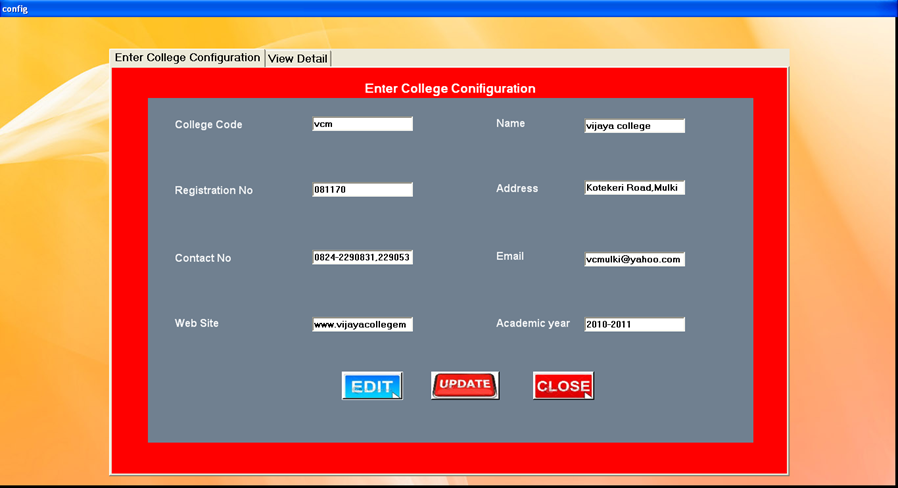
This form is to Enter the details of college, and the details which entered here Displayed in Main Form.
On click of EDIT button all text boxes Enabled property becomes true.
UPDATE button is used to add the modified data’s to table.
CLOSE button is used to exit
College – Administrator Settings Form:
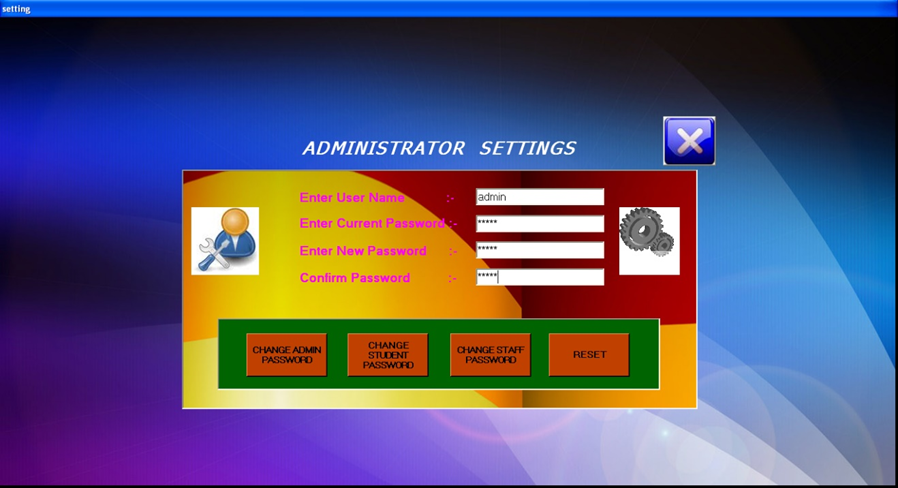
This is used to Change the passwords of different users.
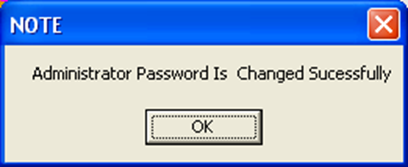
On click of Change Admin password, Student password or Staff Password the password entered last textbox becomes new password of administrator, student or staff.
Member Entry – Enter Student Member Detail Form:
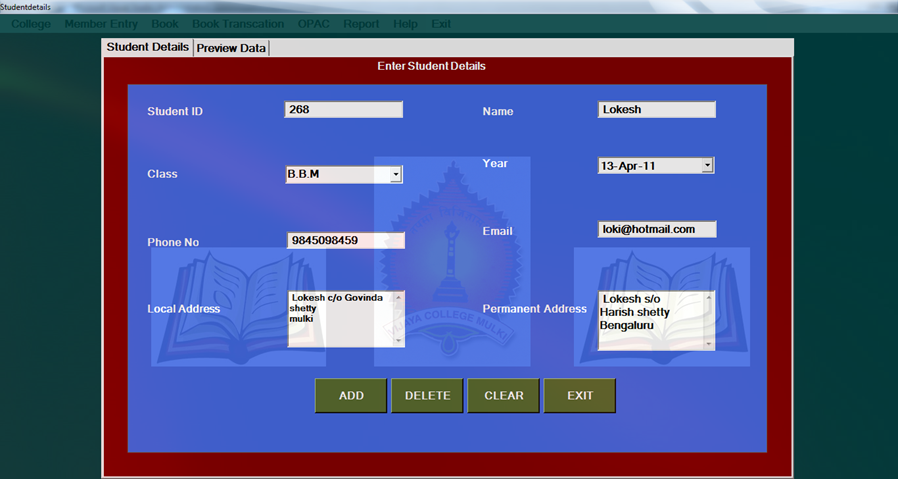
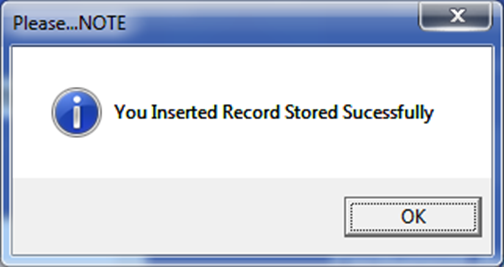
This form is used to enter the details of student members.
ADD button is used to add the Data’s of textboxes to Student Detail Table
CLEAR button is used to clear the Records of all textboxes.
On click of CANCEL button, it Exits from the current page.
Member Entry – Enter Staff Member Detail Form:
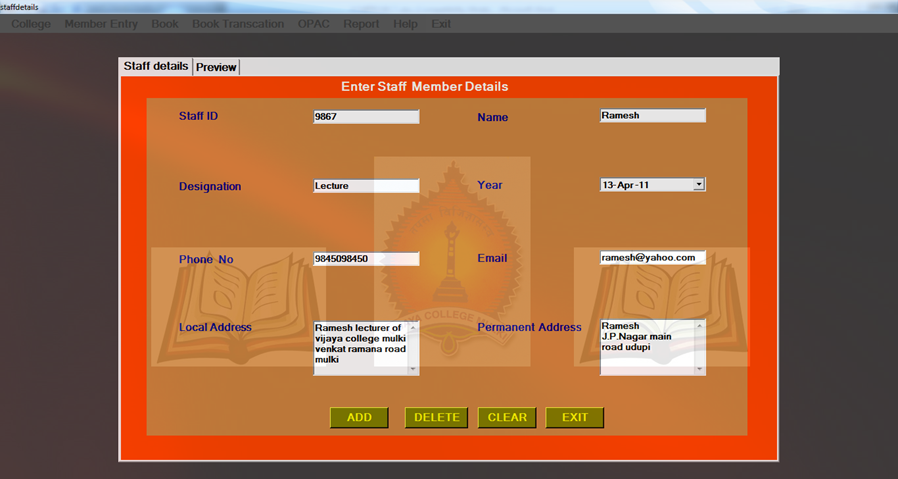
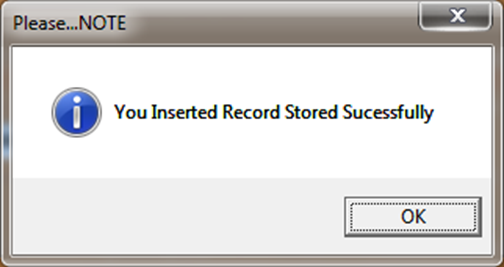
This form is used to enter the details of staff members.
This form is used to enter the details of student members.
ADD button is used to add the Data’s of textboxes to Student Detail Table
CLEAR button is used to clear the Records of all textboxes.
On click of CANCEL button, it Exits from the current page.
Book – Enter Book Detail Form:-
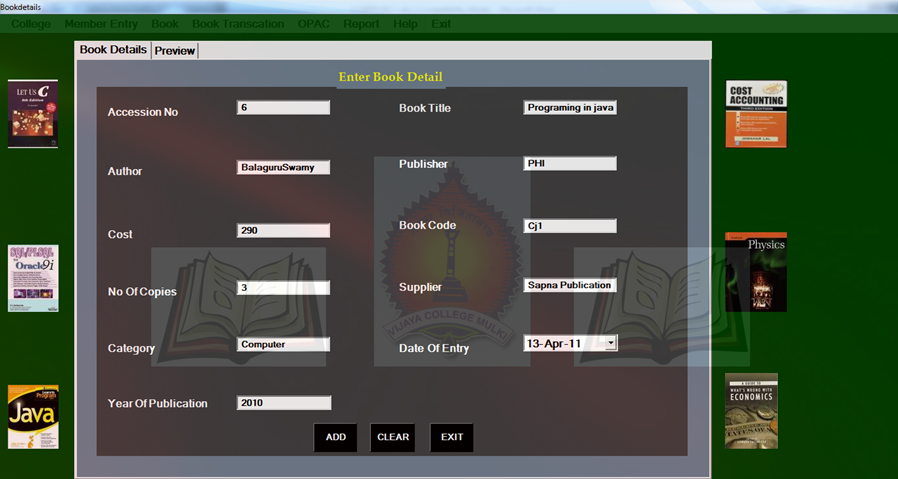
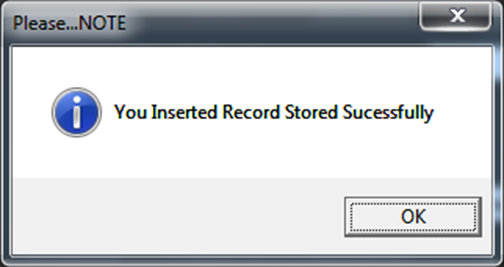
This form is used to enter the details of Books.
ADD button is used to add the Data’s of textboxes to Book Detail Table
CLEAR button is used to clear the Records of all textboxes.
On click of CANCEL button, it Exits from the current page.
Book – Enter Magazine Detail Form:-
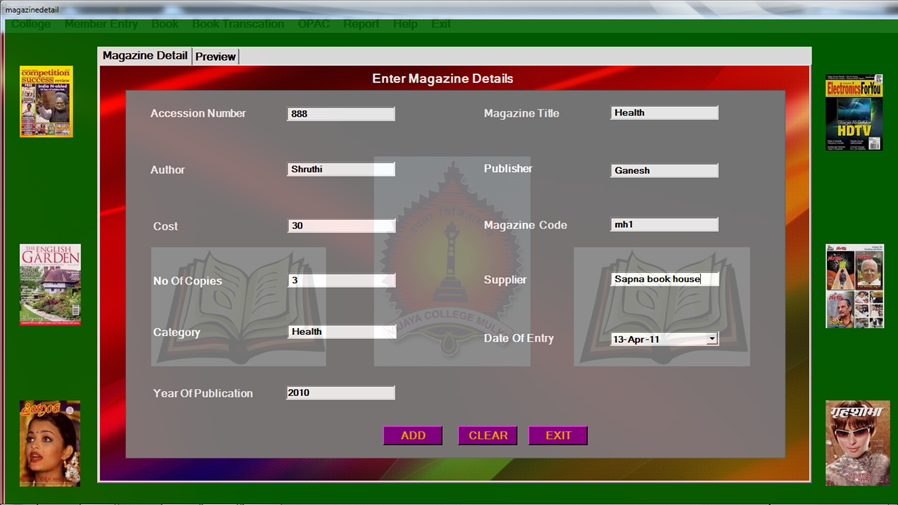
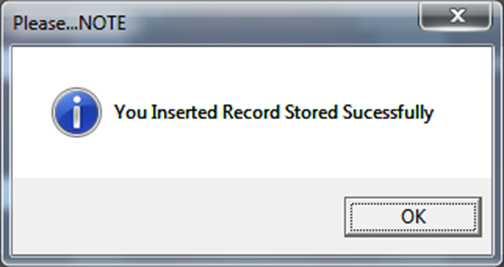
This form is used to enter the details of Magazine.
ADD button is used to add the Data’s of textboxes to Magazine Detail Table
CLEAR button is used to clear the Records of all textboxes.
On click of CANCEL button, it Exits from the current page.
Book –Change Book Detail Form:-
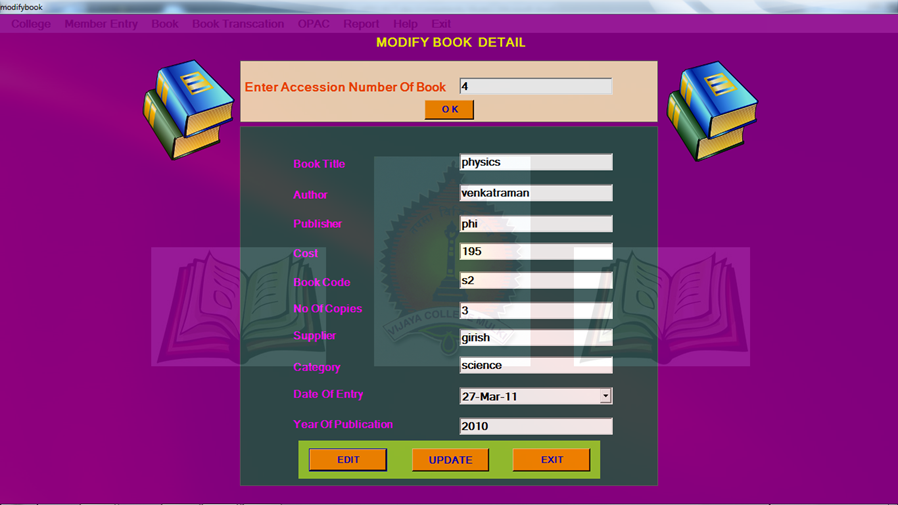
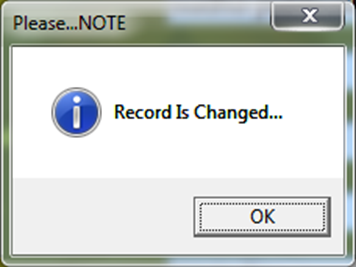
This is used to Change or Modify the Book Details .
On click of EDIT button all text boxes enabled property becomes true.
On Click of EFFECT button all Records which is in textboxes are stored in Book Table .
Book –Change Magazine Detail Form:-
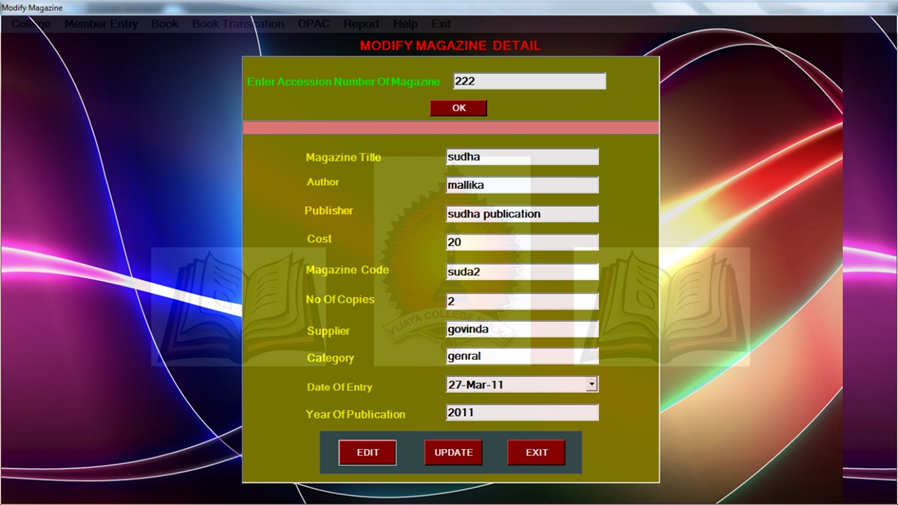
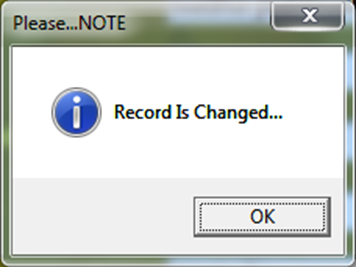
This is used to Change or Modify the Magazine Details .
On click of EDIT button all text boxes enabled property becomes true.
On Click of EFFECT button all Records which is in textboxes are stored in magazine Table.
Member Entry –Change Student Detail Form:
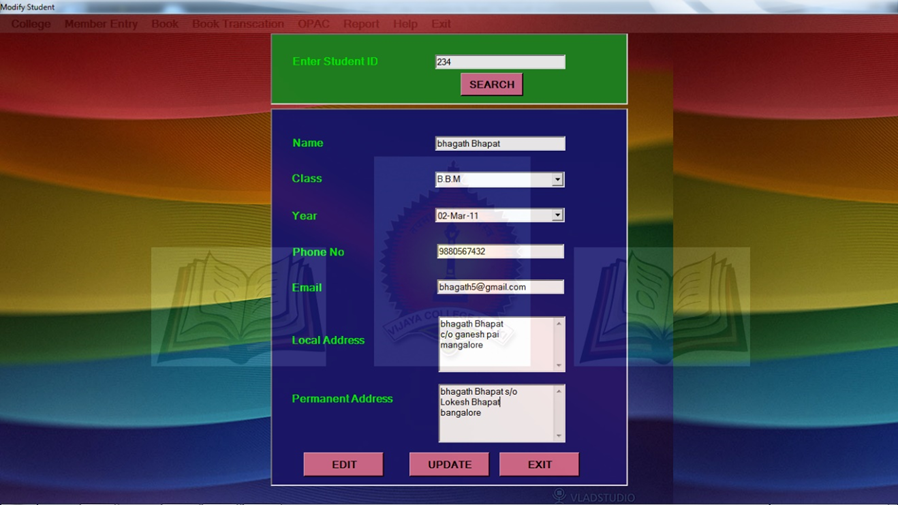
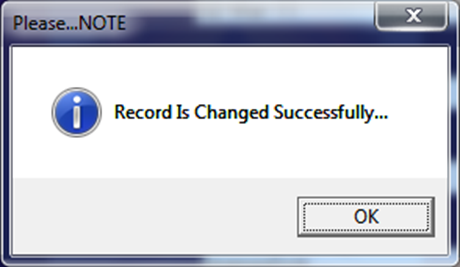
This is used to Change or Modify the Student Details.
On click of EDIT button all text boxes enabled property becomes true.
On Click of UPDATE button all Records which is in textboxes are stored in Student Detail Table.
CODING
CODE FOR LOGIN:
Private Sub Adminlog_Click(ByVal sender As System.Object, ByVal e As System.EventArgs) Handles Adminlog.Click

        Dim cnn As SqlClient.SqlConnection

        Dim dr As SqlClient.SqlDataReader

        cnn = New SqlClient.SqlConnection("Data Source=.\SQLEXPRESS;Integrated Security=SSPI;Initial Catalog=vcmlibrary")

        Dim cmd As New SqlClient.SqlCommand

        cmd.Connection = cnn

        cnn.Open()

        cmd.CommandText = "select * from admin where Password='" + txt1.Text + "'"

        If txt1.Text = "" Then

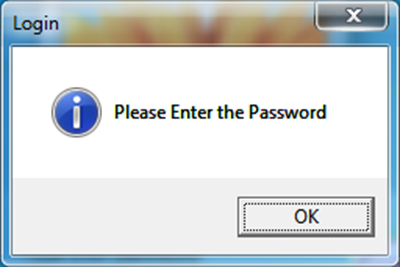
            MessageBox.Show("Please Enter the Password", "Login", MessageBoxButtons.OK, MessageBoxIcon.Information)

            txt1.Focus()

            Exit Sub

        End If

        dr = cmd.ExecuteReader

        If (dr.Read()) Then

            mainmenu.Show()

            Me.Hide()

            dr.Close()

        Else

            MessageBox.Show("Invalid Password", "Login", MessageBoxButtons.OK, MessageBoxIcon.Information)

            txt1.Text = ""

            cnn.Close()

            Exit Sub

        End If

        txt1.Text = ""

    End Sub
CODE FOR CHANGE PASSWORD:-
Dim usr As String

    Dim psw As String

    Private Sub chgadmin_Click(ByVal sender As System.Object, ByVal e As System.EventArgs) Handles chgadmin.Click

        Dim cnn As New SqlClient.SqlConnection("Data Source=.\SQLEXPRESS;Integrated Security=SSPI;Initial Catalog=vcmlibrary")

        Dim cmd As New SqlClient.SqlCommand

        Dim qstr As String

        Try

   If txtold.Text = "" Or txtop.Text = "" Or txtnew.Text = "" Or txtnp.Text = "" Then

                MsgBox("Enter all the fields")

            ElseIf txtnew.Text.Equals(txtnp.Text) Then

                qstr = "Update admin set Password='" & txtnp.Text & "' where User_ID='" & txtold.Text & "'"

                cmd.CommandText = qstr

                cmd.CommandType = CommandType.Text

                cmd.Connection = cnn

                cnn.Open()

                cmd.ExecuteNonQuery()

                qstr = "select * from admin "

                Dim rdr As SqlClient.SqlDataReader = cmd.ExecuteReader()

                While (rdr.Read)

                    usr = rdr("User_ID")

                    psw = rdr("Password")

                End While

                rdr.Close()

                If usr <> txtold.Text And psw <> txtop.Text Then

                    MsgBox("Your Administrator UserName And Password Is  Changed

                        Sucessfully", MsgBoxStyle.OkOnly, "NOTE")

           Else

                    MsgBox("Sorry!!! Wrong UserName Or Password")

                End If

            Else

                MessageBox.Show("INCORRECT CONFIRMATION PASSWORD", "CHANGE PASSWORD", MessageBoxButtons.OK, MessageBoxIcon.Error)

            End If

        Catch ex As Exception

            MsgBox("Sorry !! Improper input....", MsgBoxStyle.Information, "Please...NOTE")

        End Try

   End Sub
CODE FOR ADD RECORD:
If acctxt.Text = " " Or tittxt.Text = " " Or autxt.Text = " " Or pubtxt.Text = " " Or costtxt.Text = " " Or codetxt.Text = " " Or copitxt.Text = " " Or suptxt.Text = " " Or catetxt.Text = " " Or yoptxt.Text = " " Then

            MsgBox("Pleas..Fill All the contents Properly", MsgBoxStyle.Information, "Pleas.NOTE")

        ElseIf (bdoe.Value > x) Then

            MsgBox("date should not be exceed then current date")

        ElseIf yoptxt.Text > Today.Year Then

            MsgBox("Year Should not exceed than current year")

            yoptxt.Text = ""

            yoptxt.Focus()

       Else

            Try

                Dim con = New SqlClient.SqlConnection("Data Source=.\SQLEXPRESS;Integrated Security=SSPI;Initial Catalog=vcmlibrary")

                Dim cmd As New SqlClient.SqlCommand

                cmd.Connection = con

                con.Open()

                cmd.CommandText = "insert into bookdetail values(" + Trim(acctxt.Text) + " , '" + Trim(tittxt.Text) + "','" + Trim(autxt.Text) + "','" + Trim(pubtxt.Text) + "','" + Trim(costtxt.Text) + "','" + Trim(codetxt.Text) + "'," + Trim(copitxt.Text) + ",'" + Trim(suptxt.Text) + "', '" + Trim(catetxt.Text) + "','" + Trim(bdoe.Value) + "' , '" + Trim(yoptxt.Text) + "')"

                cmd.ExecuteNonQuery()

                cmd.CommandText = "insert into stockverification values(" + Trim(acctxt.Text) + " , '" + Trim(tittxt.Text) + "','" + Trim(autxt.Text) + "','" + Trim(pubtxt.Text) + "','" + Trim(costtxt.Text) + "','" + Trim(codetxt.Text) + "'," + Trim(copitxt.Text) + ",'" + Trim(suptxt.Text) + "', '" + Trim(catetxt.Text) + "','" + Trim(bdoe.Value) + "' , '" + Trim(yoptxt.Text) + "')"

                cmd.ExecuteNonQuery()

                MsgBox("You Inserted Record Stored Sucessfully", MsgBoxStyle.Information, "Please...NOTE")

                con.Close()

                            acctxt.Text = " "

                tittxt.Text = " "

                autxt.Text = " "

                pubtxt.Text = " "

                costtxt.Text = " "

                codetxt.Text = " "

                copitxt.Text = " "

                suptxt.Text = " "

                catetxt.Text = " "

                yoptxt.Text = ""

                Me.BookdetailTableAdapter.Fill(Me.BookdDataSet.bookdetail)

                Me.BookdetailTableAdapter.Update(Me.BookdDataSet.bookdetail)

            Catch ex As Exception

                MsgBox("Please..Check the inputed data correctly...OR..Check the ID..it may be repeated.", MsgBoxStyle.Information, "Please...NOTE")

            End Try

        End If

    End Sub
CODE FOR DELETE RECORD:
If criteria1.Text = "" Or criteria2.Text = "" Then

            MsgBox("Please Enter Criteria...", MsgBoxStyle.Information, "Please...NOTE")

        ElseIf criteria1.SelectedItem = "Accession No" Then

            Try

                Dim con = New SqlClient.SqlConnection("Data Source=.\SQLEXPRESS;Integrated Security=SSPI;Initial Catalog=vcmlibrary")

                Dim cmd As New SqlClient.SqlCommand

                cmd.Connection = con

                con.Open()

                cmd.CommandText = "delete  from bookdetail where Acc_No = '" + Trim(criteria2.Text) + "' "

                cmd.ExecuteNonQuery()

                cmd.CommandText = "delete  from stockverification where Acc_No = '" + Trim(criteria2.Text) + "' "

                cmd.ExecuteNonQuery()

                MsgBox("Record Deleted Successfully")

                Me.BookdetailTableAdapter.Fill(Me.RembDataSet.bookdetail)

              con.Close()

            Catch ex As Exception

                MsgBox("Sorry !! Improper Data Entry..", MsgBoxStyle.Information, "Please...NOTE ")

            End Try

      End If
CODE FOR MODIFY RECORD:
Dim ds As New DataSet

Dim sqladapter As New SqlClient.SqlDataAdapter()

Try

                Dim con = New SqlClient.SqlConnection("Data Source=.\SQLEXPRESS;Integrated Security=SSPI;Initial Catalog=vcmlibrary")

                Dim cmd As New SqlClient.SqlCommand

                cmd.Connection = con

                con.Open()

                cmd.CommandText = "update studentmem set  Std_Name = '" + Trim(stdname.Text) + "',Class = '" + Trim(stdcls.Text) + "', Year ='" + Trim(stdyear.Value) + "',Ph_No = " + Trim(stdpno.Text) + ", E_Id='" + Trim(stdemail.Text) + "', L_Address = '" + Trim(stdladdress.Text) + "' , P_Address = '" + Trim(stdpaddress.Text) + "' where Std_ID like " + Trim(stdid.Text) + " "

                cmd.ExecuteNonQuery()

                MsgBox("Record Is Changed Successfully...", MsgBoxStyle.Information, "Please...NOTE")

                con.Close()

            Catch ex As Exception

                MsgBox("Sorry !! Please Try Again, Check Your Student ID is Correct Or Not", MsgBoxStyle.Information, "Please..Note")

            End Try

        End If
CODE FOR SEARCH :
Dim ds As New DataSet

  Dim sqladapter As New SqlClient.SqlDataAdapter()

  If criteria.Text = "" Then

            MsgBox("Please fill Criteria Properly...", MsgBoxStyle.Information, "Please Note..")

        ElseIf txtbook.Text = "" Then

            MsgBox("Please fill Criteria Properly...", MsgBoxStyle.Information, "Please Note..")

        ElseIf criteria.SelectedItem = "Accession Number" Then

            Dim cnn = New SqlClient.SqlConnection("Data Source=.\SQLEXPRESS;Integrated Security=SSPI;Initial Catalog=vcmlibrary")

            Dim cmd As New SqlClient.SqlCommand()

            Try

                cnn.Open()

                Dim qstr As String

                qstr = "select * from bookdetail where Acc_No=" + Trim(txtBook.Text)

                cmd.CommandText = qstr

                cmd.CommandType = CommandType.Text

                cmd.Connection = cnn

                cmd.ExecuteNonQuery()

                sqladapter.SelectCommand = cmd

                ds.Clear()

                Dim no As Integer

                no = sqladapter.Fill(ds, "bookdetail")

                datasearch.DataSource = ds

                datasearch.DataMember = "bookdetail"

                cnn.Close()

                If no = 0 Then

                    MsgBox("Sorry !! Entered number Is wrong..", MsgBoxStyle.Exclamation, "Please ..Note")

                End If

            Catch ex As Exception

                MsgBox(ex.ToString)

                MsgBox("Sorry !! Accession Number Is wrong..", MsgBoxStyle.Exclamation, "Please ..Note")

            End Try

       End If

Leave a reply