

The Online Air Ticket Reservation System is a online application to assist an airline with transactions related to making ticket reservations, which includes blocking, reserving, canceling and rescheduling tickets. Online Air Ticket Reservation system is to provide an option to customers to book the tickets and to check the confirmation. This system will help the this company to sell the flight tickets. Unless like in the previous stage people as to walk into travel agency or this company ticket counter to buy the tickets. And also to check the flight timings. This problem is over come introducing this system.
Modules of Online Air Ticket Reservation System
Admin Part:
- Entry Module: In this module enter all city or place names where flights have route. This is used in the flight scheduling. Make the name short if it is more than 50 characters. If the place name successfully entered then message has to be appear stating that the record created successfully, else if the place name already entered, then it should give the display that the place name already entered, so there is no chance of duplication of the names.
- Booking Module : In this module option should be provided to schedule the flights. Here Flight name, from place, to place, date and time has to be considered properly. Once all the details have been entered, it checks for the availability of that particular flights. If available it lists the various flight details.
- Payment Module: Once the booking has been done, it next checks for the payment option. User chooses from a list of payment options such as Internet Banking, Credit Card or Debit Card. Here, the admin verifies whether the entered payment option is valid or not and if valid, it automatically connects to the entered bank and retrieves the amount. If the entered option is not valid, it then displays the appropriate messages.
Customer Part:
- Registration Module: In this module, options are provided to customer login with username and password. If the username and password is correct then customer is allowed for login. Else it should show appropriate messages such as invalid user id or password. It also provides the new user to sign up. Any new customer can sign up from this form. All the personal details as be collected in this form. Along with the phone number and email address.
- Flight Schedule Checking Module : In this module customer can check the flight timings. Option should provided to select the flight and date. It displays all the possible flights available for the customer. Based on the flight timings customer can book the ticket. Here flight name, date, time, seating type all will considered.
- Payment Module: Here customer will enter the mode of payment, and details of the payment. It shows message if ticket booking is complete. After confirmation of the ticket in the admin part, customer can see the message about the confirmation of the ticket. Then he can be able to print that e-ticket also. If in case the customer needs to cancel the ticket due to any of the problems, ticket can be cancelled using the cancel option. Once the ticket is cancelled, within 24 hours the amount will be credited back automatically to the bank from where the amount was debitted. In this case, certain amount will be deducted as cancellation charges.
Software Interfaces
- Xampp
- Apache Server
- PHP
- MYSQL Server
- VS code
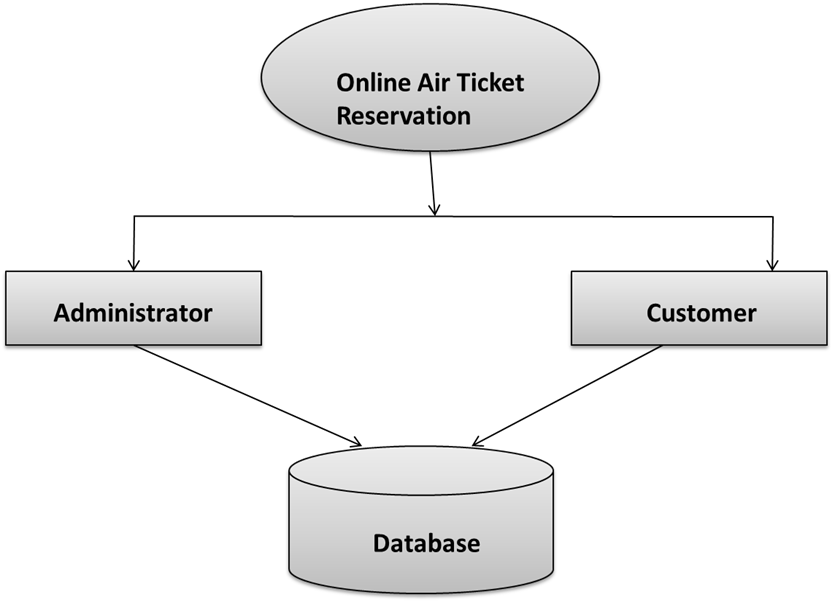
Context Flow Diagram
Download Project Source code
₹0.00Add to cart