
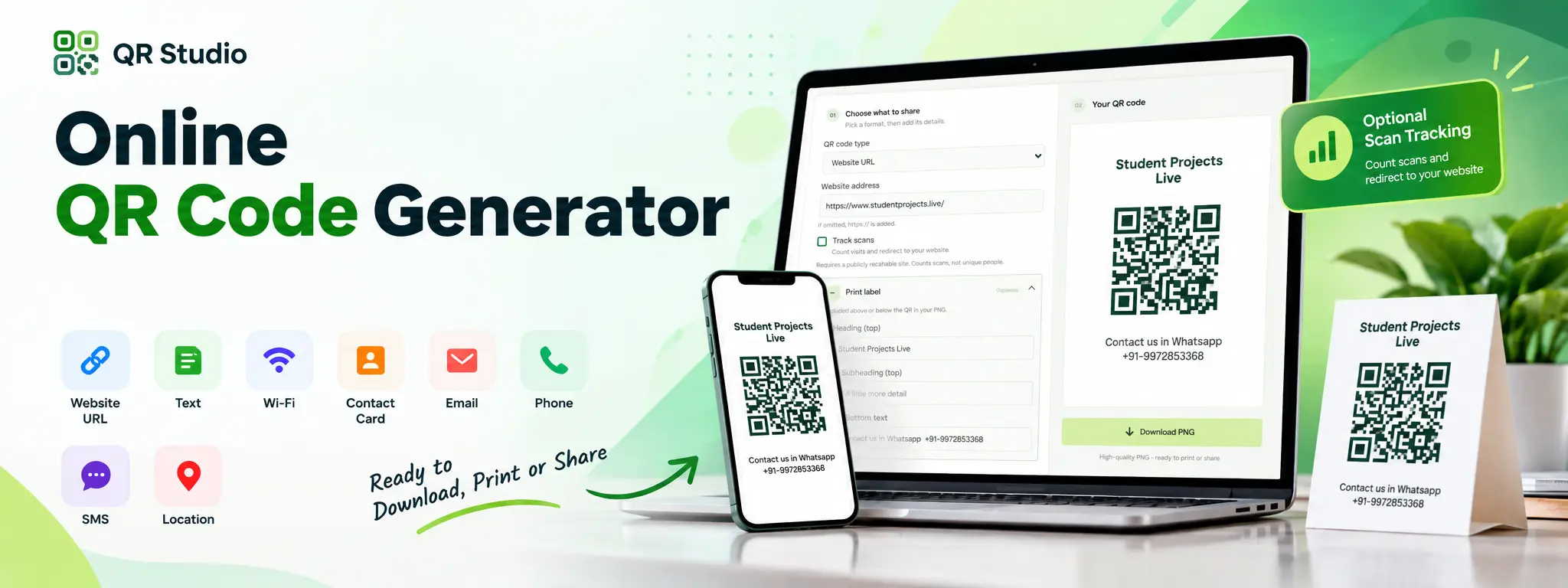
Online QR Code Generator is a Django-based web application that makes it easy to create QR codes for text, websites, Wi-Fi networks, contact cards, email, phone numbers, SMS, and locations. Users can enter their information, preview the QR code, add optional print labels, and download the final QR code as a high-quality PNG image. The application also includes optional website scan tracking, allowing users to count QR code scans and view statistics while maintaining privacy. Visitor names and IP addresses are not stored. The responsive interface works smoothly on both desktop and mobile devices, making QR codes easy to create, download, print, and share.
This project provides a responsive Django-based QR generation platform supporting text, websites, Wi-Fi, contact cards, email, phone, SMS, and location QR codes. It supports optional print labels, PNG downloads, and privacy-conscious website scan tracking.
Key Features
- Text: Encode any text up to 2,000 characters.
- Website URL: Encode an HTTP or HTTPS website address.
- Wi-Fi: Create a connect-to-network QR code for WPA, WEP or an open network.
- Contact Card: Create a vCard 3.0 with a required name and optional phone, email, company, website, and address.
- Email: Encode an email address with optional subject and message.
- Phone: Encode a phone number that compatible scanners can use to start a call.
- SMS: Encode a phone number with an optional pre-filled text message.
- Location: Enter latitude and longitude to create a Google Maps link.
- Website scan tracking: Optionally route Website URL QR scans through QR Studio, count each request, and redirect to the destination. A separate private stats link lets the creator check the count later. Tracking stores the destination URL, scan count, and creation time, but no visitor names or IP addresses. Counts are requests, not unique people; repeat visits and link-preview services can count separately.
- Print Labels: Optionally add a heading, subheading, and bottom text to the QR image.
- Downloadable Output: Preview generated QR codes and download them as PNG images.
- Responsive Interface: Use the QR generator on desktop or mobile devices.
QR Code Types and Validation
- Text: Users can enter any text up to 2,000 characters. The text is encoded directly into the QR payload.
- Website URL: Users can enter an HTTP or HTTPS website address. If the scheme is not supplied, QR Studio adds https:// automatically.
- Wi-Fi: QR Studio supports WPA, WEP, and open Wi-Fi networks.
- WPA passwords: 8–63 characters or 64 hexadecimal characters.
- WEP passwords: 5 or 13 characters, or 10 or 26 hexadecimal characters.
- Open networks do not require a password.
- Contact Card:Creates a vCard 3.0. Name is required. Phone, email, company, website, and address are optional.
- Email: Encodes an email address with optional subject and message.
- Phone: Encodes a phone number for scanners that support initiating a phone call.
- SMS: Encodes a phone number and an optional pre-filled SMS message.
- Location: Creates a Google Maps link from latitude and longitude.
- Latitude must be between -90 and 90.
- Longitude must be between -180 and 180.
Print Labels
QR Studio can optionally compose text around the QR code. Users can add a heading, subheading, and bottom text. These elements appear in both the preview and downloaded PNG. If all label fields are left blank, QR Studio produces a QR-only image.
Local Development Setup
Requirements: Python 3.10 or later.
How to install Project or Run locally
python -m venv .venv
.venv\Scripts\Activate.ps1
python -m pip install -r requirements.txt
python manage.py migrate
python manage.py runserver
Open http://127.0.0.1:8000/ in a browser.