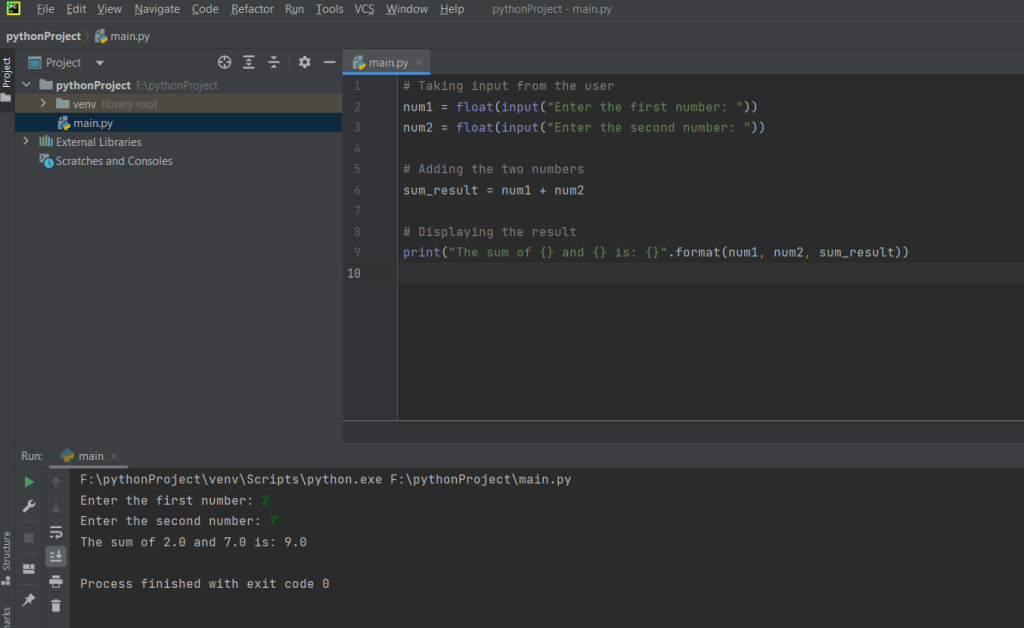
The provided Python code is a simple program that performs the addition of two numbers. The user is prompted to input two numeric values, and the program converts these inputs into floating-point numbers to handle decimal values. The addition of the two numbers is then carried out using the + operator, and the result is stored in a variable called sum_result. Finally, the program prints a message displaying the sum of the input numbers in a formatted string using the print function and the format method. This program serves as a basic illustration of user input, data type conversion, arithmetic operations, and output display in Python.
Source code
# Taking input from the user
num1 = float(input("Enter the first number: "))
num2 = float(input("Enter the second number: "))

# Adding the two numbers
sum_result = num1 + num2

# Displaying the result
print("The sum of {} and {} is: {}".format(num1, num2, sum_result))
Description
- Taking Input from the User:
num1 = float(input("Enter the first number: ")) num2 = float(input("Enter the second number: "))
input("Enter the first number: "): This line prompts the user to enter the first number. Theinputfunction is used to read a line from the user, and the text inside the parentheses is the prompt displayed to the user.float(...): This is used to convert the user input (which is initially a string) into a floating-point number. Thefloatfunction is used for this conversion. This is important because the+operator is used for addition, and it works with numeric types.
- Adding the Two Numbers:
sum_result = num1 + num2
- The
+operator is used to add the values stored in the variablesnum1andnum2. The result is then stored in the variablesum_result.
- Displaying the Result:
print("The sum of {} and {} is: {}".format(num1, num2, sum_result))- The
printfunction is used to display the result. Theformatmethod is used to insert the values ofnum1,num2, andsum_resultinto the string. The curly braces{}act as placeholders for these values.
- The
So, when you run this code, it will ask the user to enter two numbers, add them together, and then print the result in a formatted string.
Screenshot